Hey!
Yes, I have tried unplugging-replugging.
I’m not sure what you mean by “setttings-> info.” Do you mean the little i on the “active” screen?
I am just wrapping up my roasting session today. I am roasting again tomorrow evening if you’re able to talk!
@centralkycoffee Although I haven’t experienced this specific issue, I work in IT and this sounds to me like an issue with your computer rather than the roaster. Are you running it on Windows, Mac, or Linux?
If you’re running it on Windows (just going off an assumption, since that’s going to be most common), you’d normally see “Connected (libusb)”, since libusb is the driver that RT uses to communicate with the roaster. If something went wrong with your libusb driver, Windows could fall back to a serial connection, since USB is Universal Serial BUS and that’s technically its default.
I just checked and RT includes its own driver package to communicate with the roaster, so I’d recommend re-installing RT to see if that fixes the issue. You could try downloading it and just running the installer to see if there’s a repair function or you could completely remove RT and install it fresh. Either way, that’ll likely reinstall the driver and resolve your issue.
Thanks!
I have reinstalled, and I will try that this evening when I roast. Will update.
I am actually on Mac (Air, M2 2022, Tahoe 26.3). I used to be on Windows, but not anymore. I might make a switch back since I have a device that could become dedicated if I get that busy.
Update: reinstalling roast time seems to have worked; As a millenial I’m ashamed I didn’t think of that before posting here 
Behavior still kinda funky though–after plugging in my roaster (which was already preheating), I started Roastime. It was not reading the roaster at all. I unplugged the cable from my computer and plugged it back in but nothing happened. When I unplugged the cable from the roaster and then plugged it back in is when it started reading the roaster’s existence.
For the record, though, it still has (serial) next to “connected.”
Not sure if this is indicative of a potential deeper issue or maybe just the decline of my roaster or what. Would appreciate any input on those fronts.
Do you have another USB cable you could test, just in case the cable is an issue? You could also consider getting a canned air duster to clean the USB port on the roaster, just to make sure it hasn’t gotten dirty.
I’ve got an M3 Mac and I tested it today, but mine never showed (serial), so I’m very curious why yours is doing that. Does someone at Aillio know what the connection sub-status means and if it’s relevant to connection troubleshooting?
1 Like
Yes, having serial as the sub-status (as you say) is definitely new. It didn’t used to say that or have any sub-status at all.
I suppose I could try and clean the port… Seems like a long shot given that it is working to some extent.
@mcaillio, any input?
@centralkycoffee @striplingcoffee That indicates which USB “driver” you are using. We have historically used libusb, but we are migrating to use the serialport directly. So for MacOS, serial is actually expected. Only Windows should still be using libusb on the latest versions of RT.
1 Like
@mcaillio Since this is a new migration to the serial driver, and the original post said that this occurred after an application update, could it be a bug with the latest version of RT on a Mac? I tested it on mine with no issue, but I’m running 15.7.4 on an M3 while he is running the latest and greatest on an M2.
@striplingcoffee Did you let your sub processes update when checking? That check would require the latest versions of client and comms service.
@mcaillio as far as I know I did, since it updated promptly after a fresh install. What version should I see to confirm that it’s up to date?
OK, update, I reinstalled while my roaster was preheating and when I booted Roastime back up it was connected and good to go.
1 Like
This sounds like there may be some deeper issue going on. How often do you roast? Would be happy to jump on a screenshare and debug.
Also, this seems potentially related to Unable to connect Roastime (4.13.6) - #7 by mcaillio . You are both on newer M-series Macs.
Hmmm. Intersting.
I am not planning to roast again anytime soon. Do you need me to roast a full batch in order to get the job done, or could it be fine just having it pugged in and maybe preheating a bit?
Yeah, you don’t need to do a full roast as long as it is replicable
For the record, I still occasionally have this issue, but it is easy to get it to work right. I often have to do some combination of restarting RoastTime and/or unplugging and re-plugging in the roaster.
any chance you’re available to hop on a video call in the next couple hours? Can’t seem to get it to work with my previous “fixes.”
FYI, I have updated RoastTime.
Hey, yes - I could jump on now? Can you jump on the slack at https://join.slack.com/t/roastime/shared_invite/zt-h7qicu0g-E_u1DsYGRmLXEQ0czoLweg and message me?
I think I have the same problem. The “Aillio LTD-Bullet R1 ROASTER FS” is connected, and ROASTIME also displays “connected - serial,” but no data is being displayed from the Bullet.
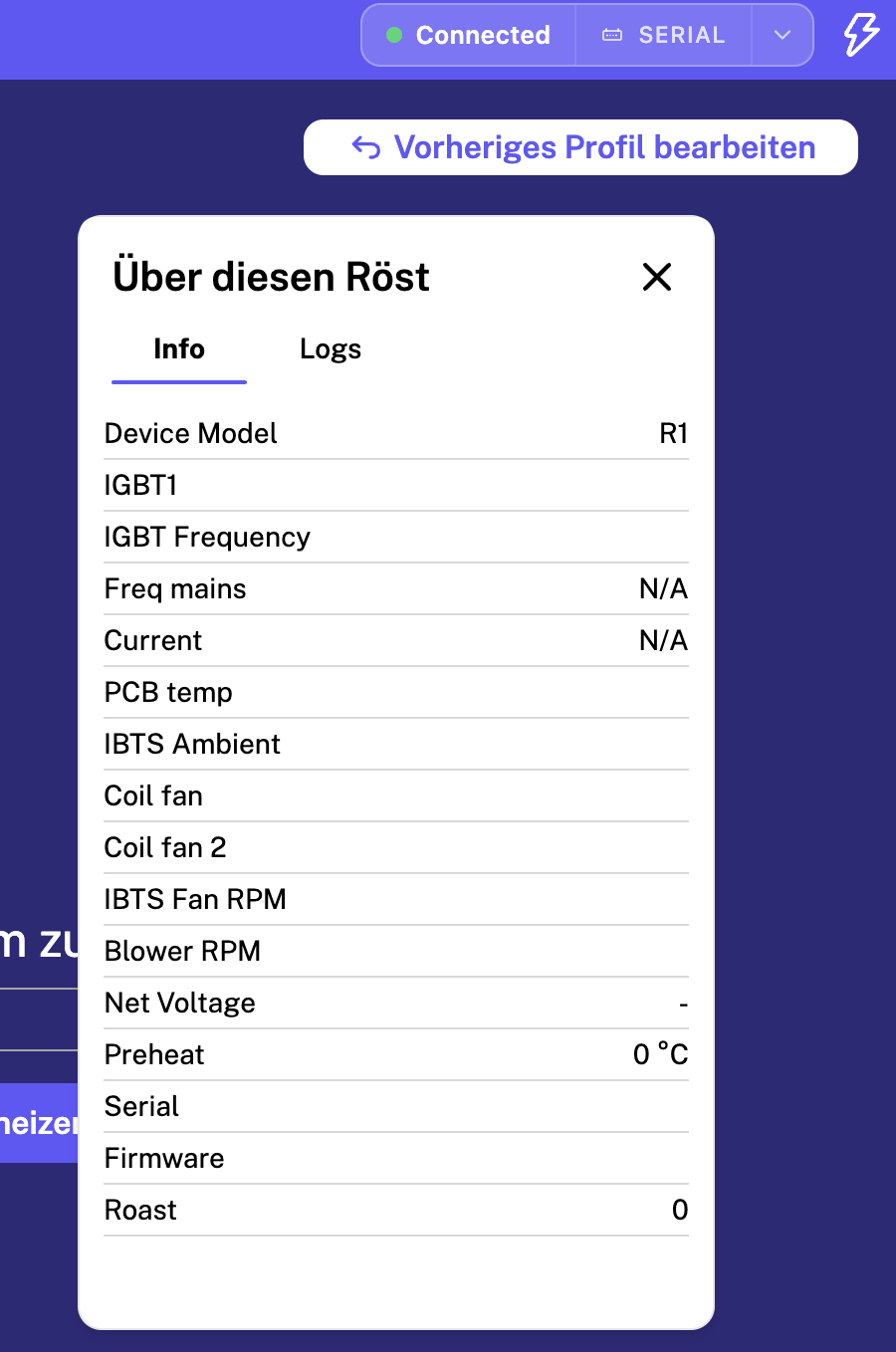
- MacBook Pro M4
- Tahoe 26.5.2
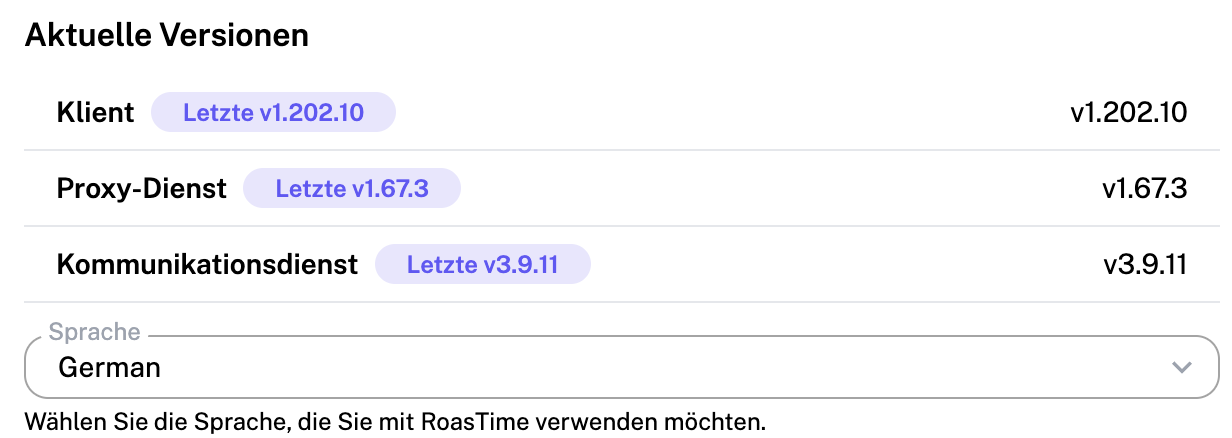
The software only allows me to change the Bullet’s operating mode, just as if I were pressing the PRS button.
P.S.: I was able to update the firmware to 617 using Roastime, but the currently installed version isn’t displayed. Should I switch to 658beta?
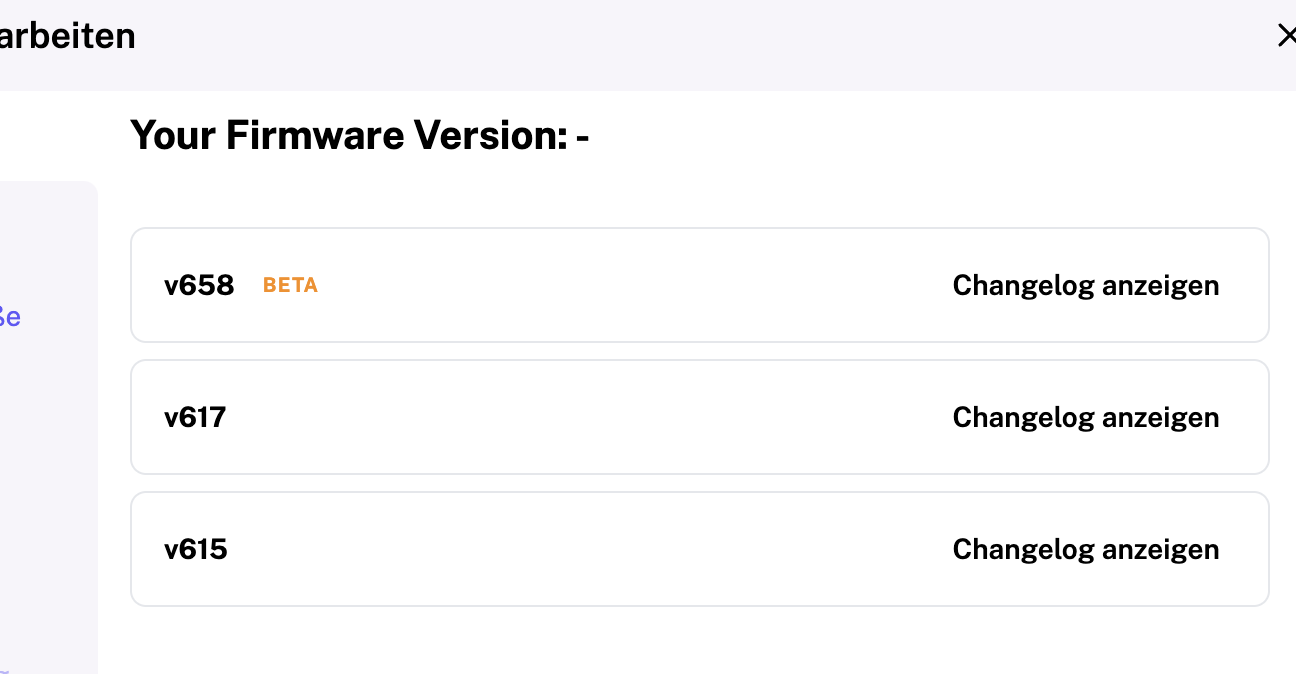
The problem is the same on various laptops. I have a connection, the Bullet is recognized, and Roastime displays “connected - serial.” But no temperature data or similar information is being transmitted.
- macOS with M4, see above
- macOS with M1
- CachyOS
Should I install the beta firmware? However, the program warns me that I won’t be able to revert to version 617 afterward.
PS:
It’s really incredibly frustrating. The connection with the M4 computer was unstable from the start, and I had to fall back on my old computers, which I couldn’t sell because of that.
Now I can’t control the roaster with any of my computers anymore. It’s great to gain experience operating it manually, but I’d prefer to do that by choice.
PS2:
It’s probably because of RoasTime.
On macOS (M4), RoasTime 4.14.3 detects the roaster and displays “connected - serial.” But no data is being transmitted—not the installed firmware version, not any temperatures, or anything else.
Support asked me to install the older RoasTime version 4.13.6. It works with that version, and I can control the roaster.
So I’ve now disabled updates and am waiting for the bug in the new RoasTime version to be fixed.