We need additional info:
RoasTime or Roast.world?
External links you create or clicking in the app?
Clicking on a roast tab? You mean link text?
A screenshot would be helpful.
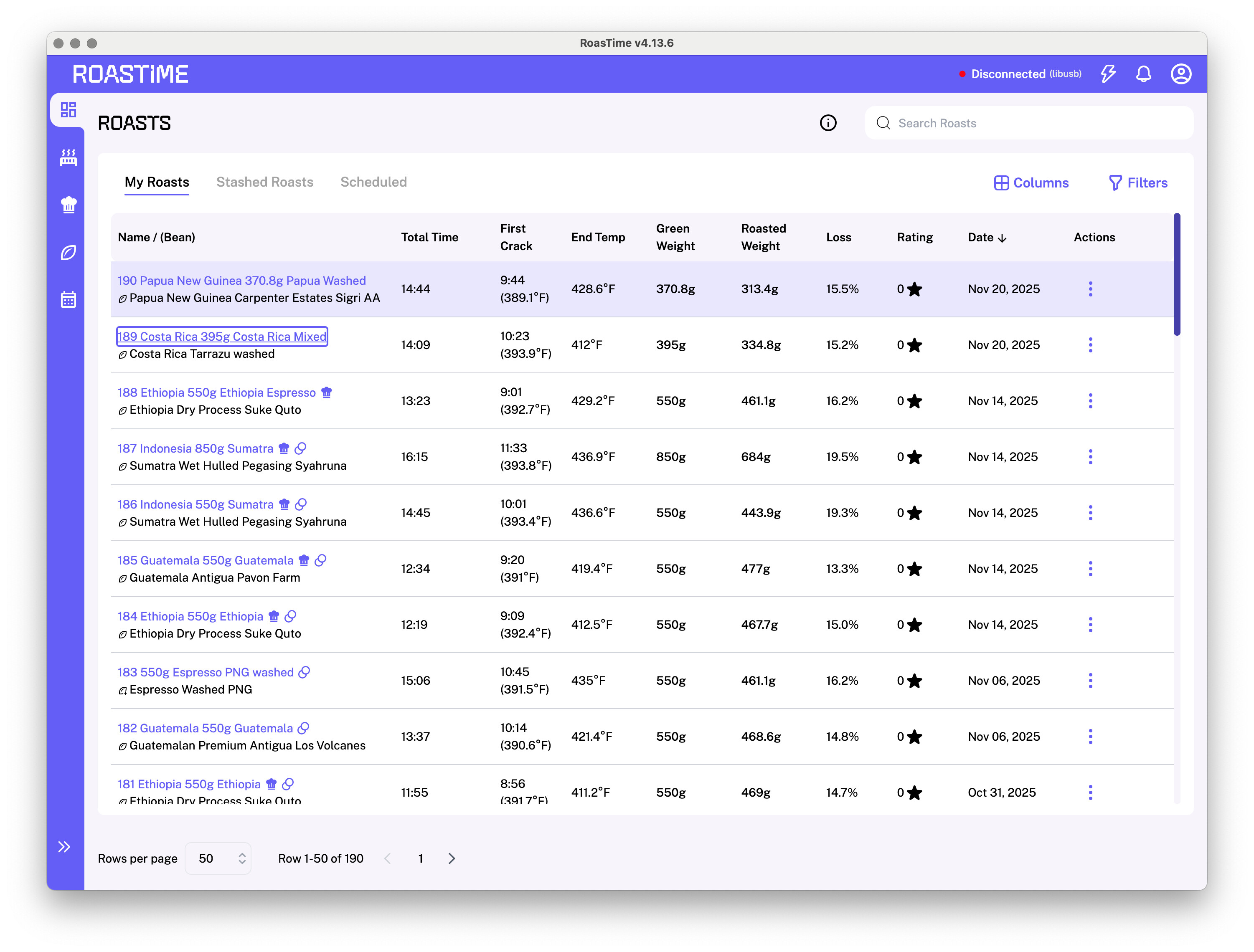
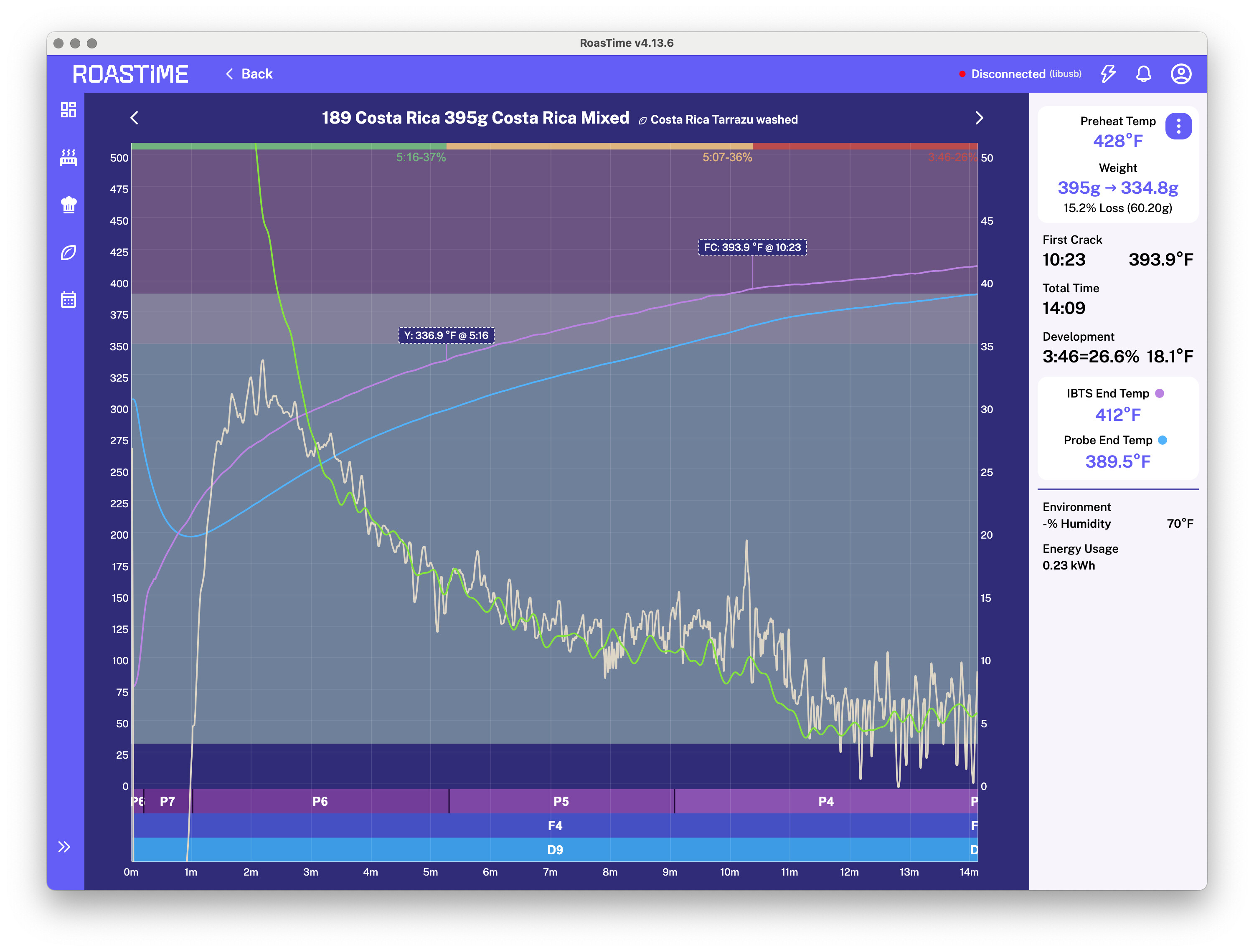
Yes, RoasTime. As I mentioned, it’s an intermittent problem, and I can’t say exactly when it happens. Here are some screenshots showing:
The “Roasts” tab (a list of roast logs,) where you click the title of the roast and should be taken to a chart visualization of that roast’s log data. You can see the second roast in the list highlighted as I am hovering and about to click it.
The chart visualization screen. Sometimes this is not the same roast I clicked on. This is the bug I am referring to.
In the example I’ve attached, the visualization is the correct one. I can’t provide the circumstances to reproduce it reliably, but if I figure that out, I’ll post back.
I don’t have specific repro steps, all I can say is:
Roast ~world~ Time had been open for a bit
I didn’t have any filters applied
I clicked on the top roast in the list (most recent roast)
When the chart page opened, it showed the SECOND roast on the list
Neither of the “forward”/“backward” buttons (that let you navigate to the next/prior roast without leaving the chart view work. This (maybe separate) issue happens pretty often BTW, especially if the app has been sitting open for several minutes.
When I clicked the “Back” button to return to the list of roasts, NO ROAST was highlighted. Normally the last viewed roast shows a state of heavy top and bottom borders. IMO this is a little weird, because the top roast in the list is ALSO shaded. It seems like the list should just focus on the last visited roast when you use the “Back” button.