Sorry for the late reply, I just finished a move back to my home country. We have about 5 or so users having the same issue as you, I am still trying to debug it, but has proven difficult without replication for me.
Can you send me your system specs? (OS, CPU, Memory)
Same… Brand new Macbook pro, latest apple software and latest roastime and it stops around 4:50 and then blanks and the roast is gone. Its happened 2 of the last 4 roasts… major bummer.
I have problems when roasting with the Bullet R1 and my MBP 2024 with M4. The connection is reliable so far, but I have the problem that the recording of the current roast freezes and I cannot start a new roast even after restarting the software, it then tells me that preheating cannot be started. Even restarting the roaster (briefly pulling the plug) and RoasTime doesn’t help.
Recently, after a few minutes, the roasting recording in RoesTime got stuck, i.e. the temperature curve and everything else was no longer recorded and the software basically crashed. I then carried out the roasts on foot with the roaster without software support.
I then followed the steps described in the Roast World Community:
I installed the new RoasTime version v4.8.0 for MacOS.
executed the command “rm -rf ~/Library/Application\ Support/RoasTime/deps” in the MacOS terminal
then I checked that everything in the folder “~/Library/Application\ Support/RoasTime/deps” had actually been deleted.
On a new try, the first roast went through successfully, on the second roast the software got stuck again and restarting the computer or roaster didn’t help. I have not tried deleting the above folder again.
I completely deleted RoasTime and the application’s hidden folders from the MacOS computer, emptied the trash, restarted and then re-downloaded and reinstalled RoasTime. It did not help. RoasTime froze when heating up. After “refreshing” and reinstalling the “dependencies” it ran again and then RoasTime or the roasting companion froze after the 1st crack.
I then got out my old MacBook with the M1 chip and tried it. I first had to update the RoasTime software. I did 2 roasts with the old MacBook without any problems, as I was used to.
I helped them test roast with the M4 chip a few weeks ago. They are working on it. Apparently the new windows also having issues.
Use the old laptp is the current solution till new release. They are aware.
He sent a new version of Roastime and i downloaded it today. Just ran lut of time to roast. Will try it tomorrow. He also wanted to pair up to watch it, but wasn’t available when i was today. Will hopefully tomorrow
I’d be happy to test if they’re willing. (In my day job, I am a Tech Specialist at Apple. I work on phones, iPads, and AirPods, and have been using Macs since the early 90s.)
I had the same issue happening when I tried to roast for the first time on my M4 MacBook. It froze after less than I minute and I lost the recording (but could finish the roast manually). I had to hard reset the bullet to be able to connect properly again (it would show connected in RoasTime but was not able to show the firmware version, it would also tell me that it could not preheat to said temperature).
I went back to the old intel-based MacBook Air and then had a similar software freeze issue, this time later in the roast, for the first time on this laptop. I’m wondering if it is not related to a new software version and not only to the new MacBook…
I will try to disconnect usb and plug it back in if it happens again.
If anyone is available to try and debug this live, please let me know. I have a debug version available that should be able to help me track down what is happening. I have had a couple users reach out that this is happening to, but overall, it is a very small subset (and seems not replicable every time for them) so it has been difficult to debug.
I’ve been having this or a similar issue happen for quite a while now. The connection is great, and right when a roast starts roastime stops updating. Disconnecting and reconnecting has worked until today. Any time I start a roast it becomes unusable.
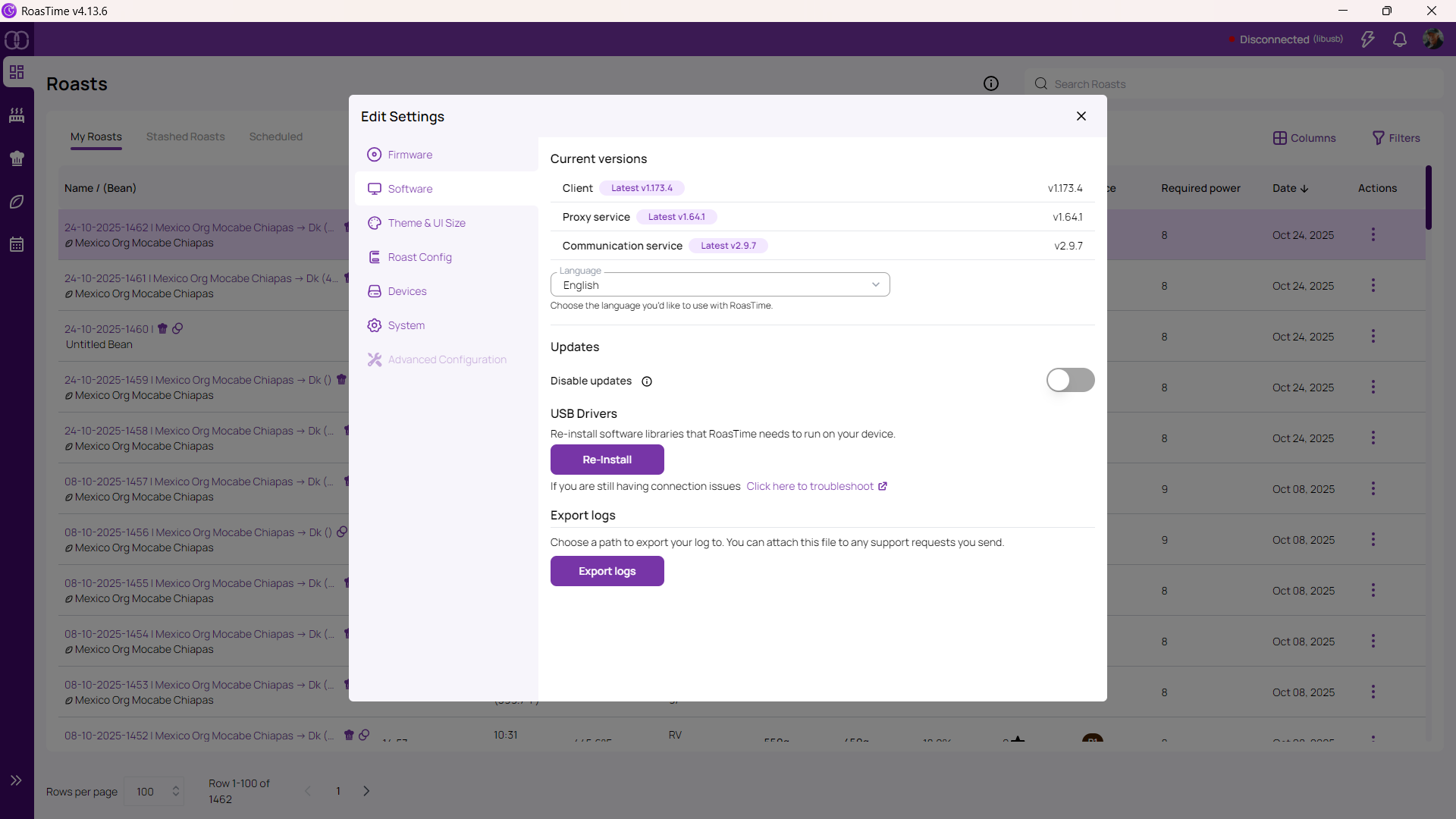
This the R1? (I don’t speak R2/R2 Pro). Just a WAG but you might try reinstalling the comm driver. The link pops up in the RT4 Settings menu (Settings → Software → USB Drivers [Re-install]). Start in the upper right corner of RT4.
Failing that you’re best off contacting Tech Support.
My version of RoastTime doesn’t have that button. I’ve sent the logs to Ailliio so we’ll see what they think. The longs indicate a USB issue and since I’ve tried 2 cables and 2 Macs, the logical conclusion is an issue with the unit.