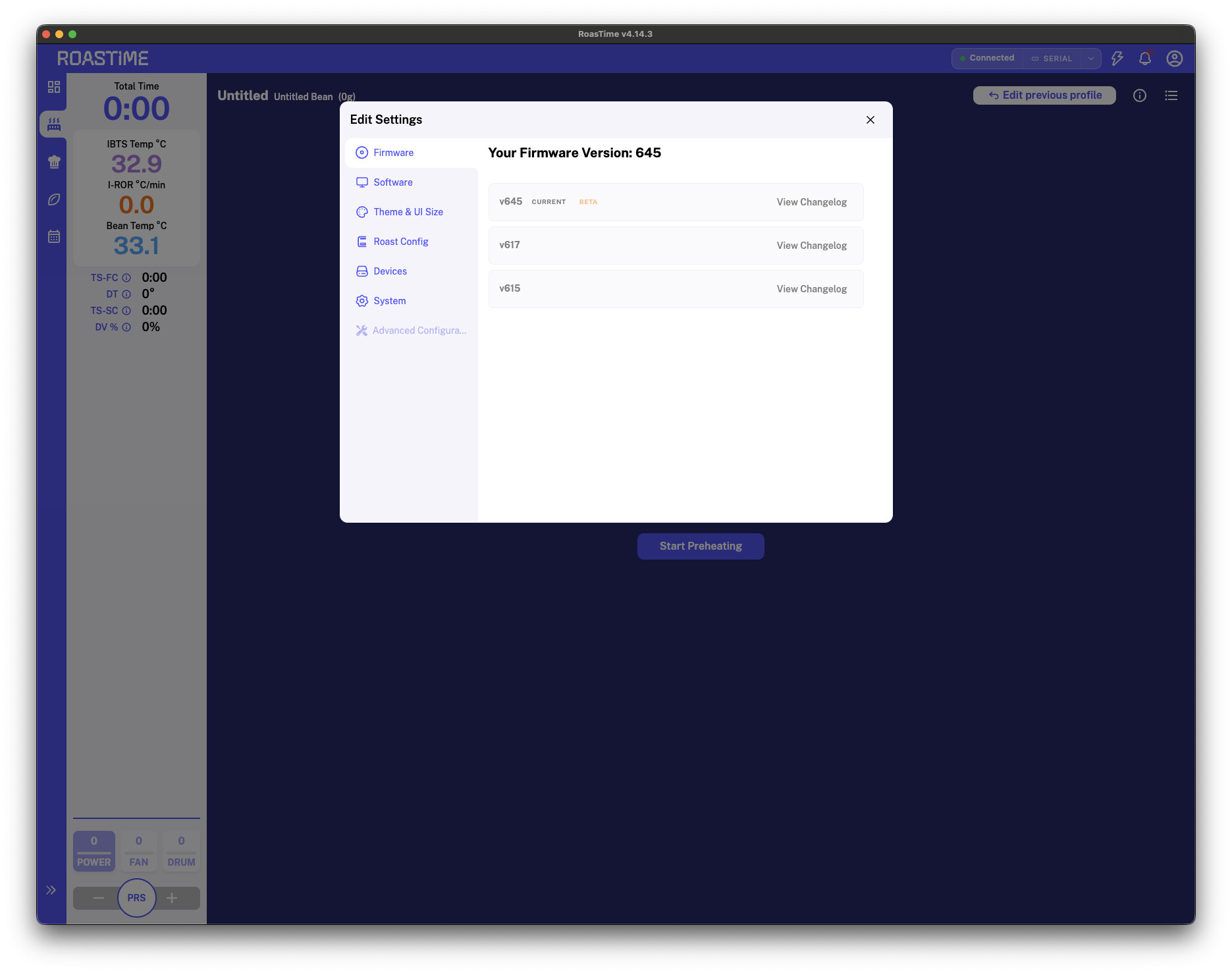
Machine: Aillio R1
FW: 645
Roastime: 4.14.3
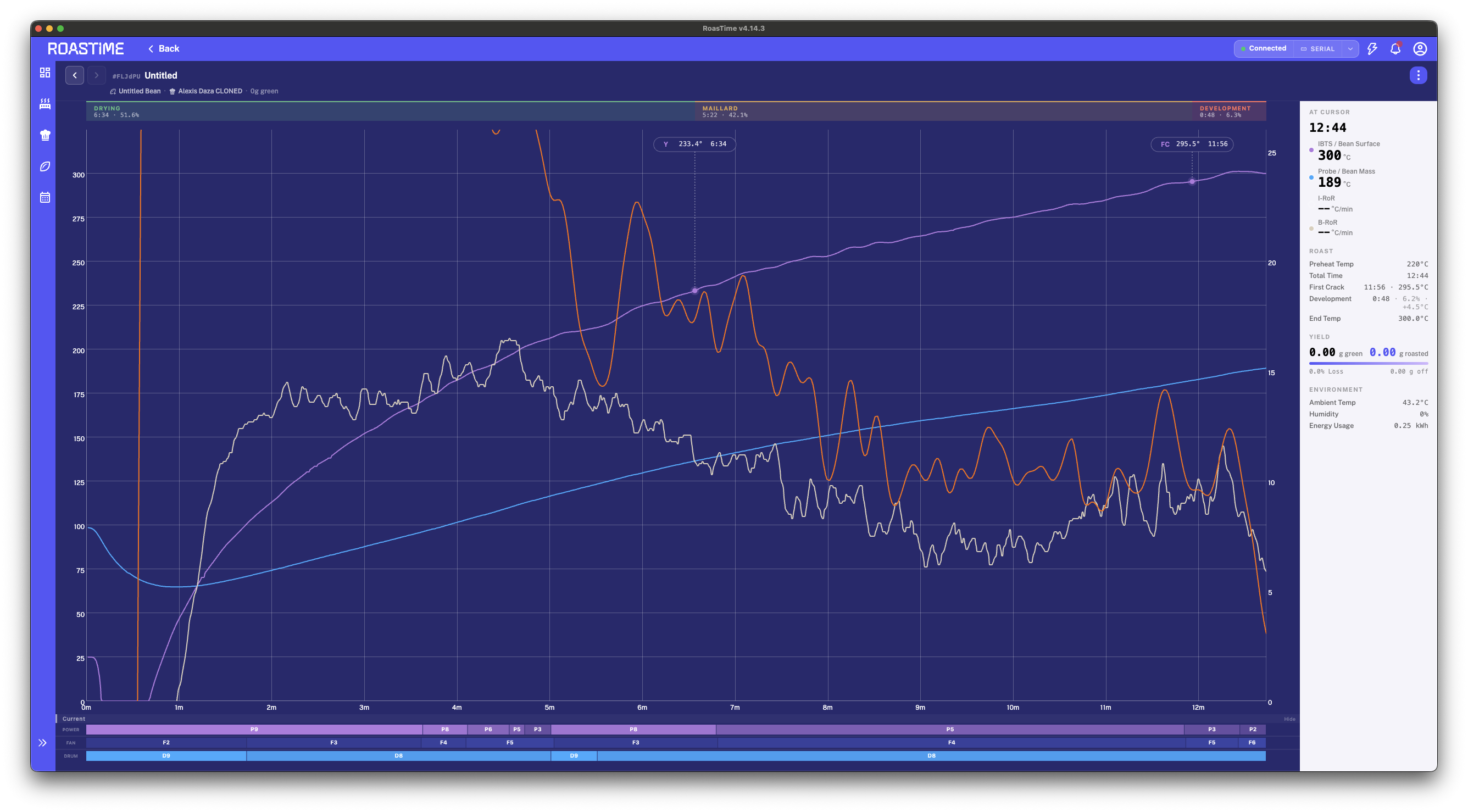
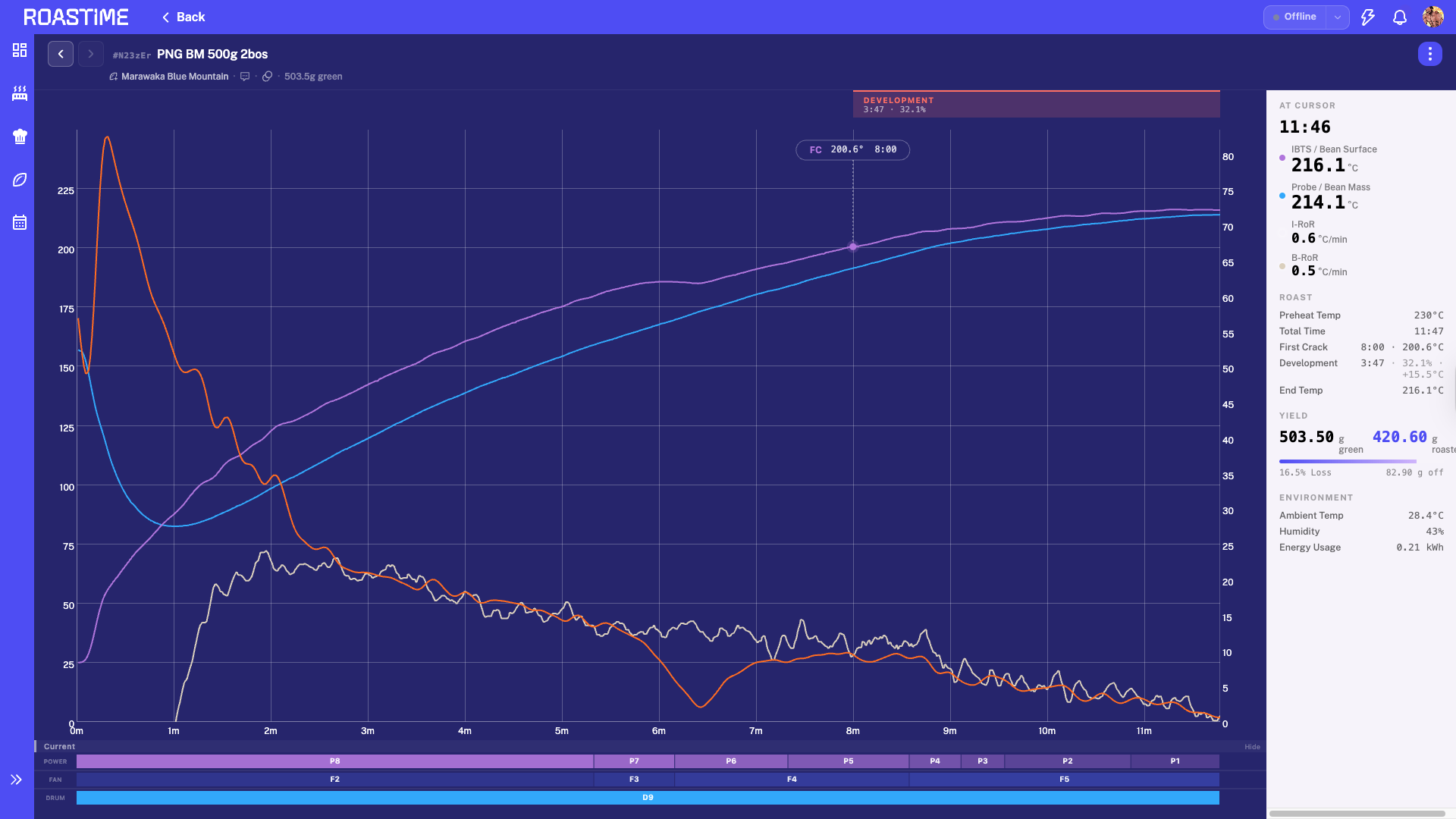
It seems like my Aillio is having issues after updating the software and hardware. Is anyone else experiencing the same problem?
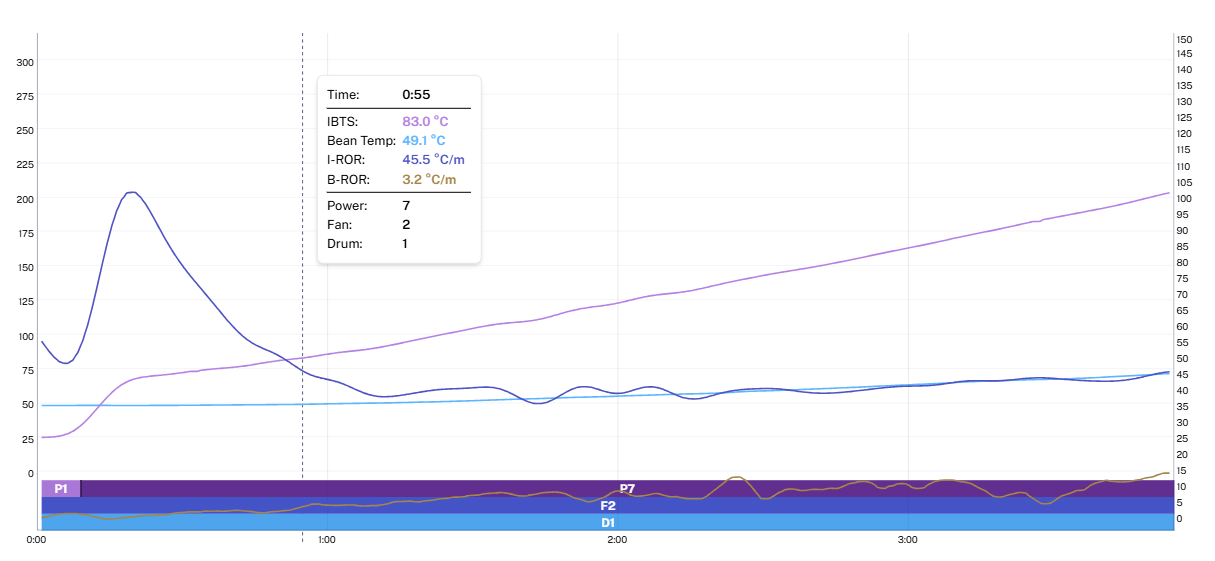
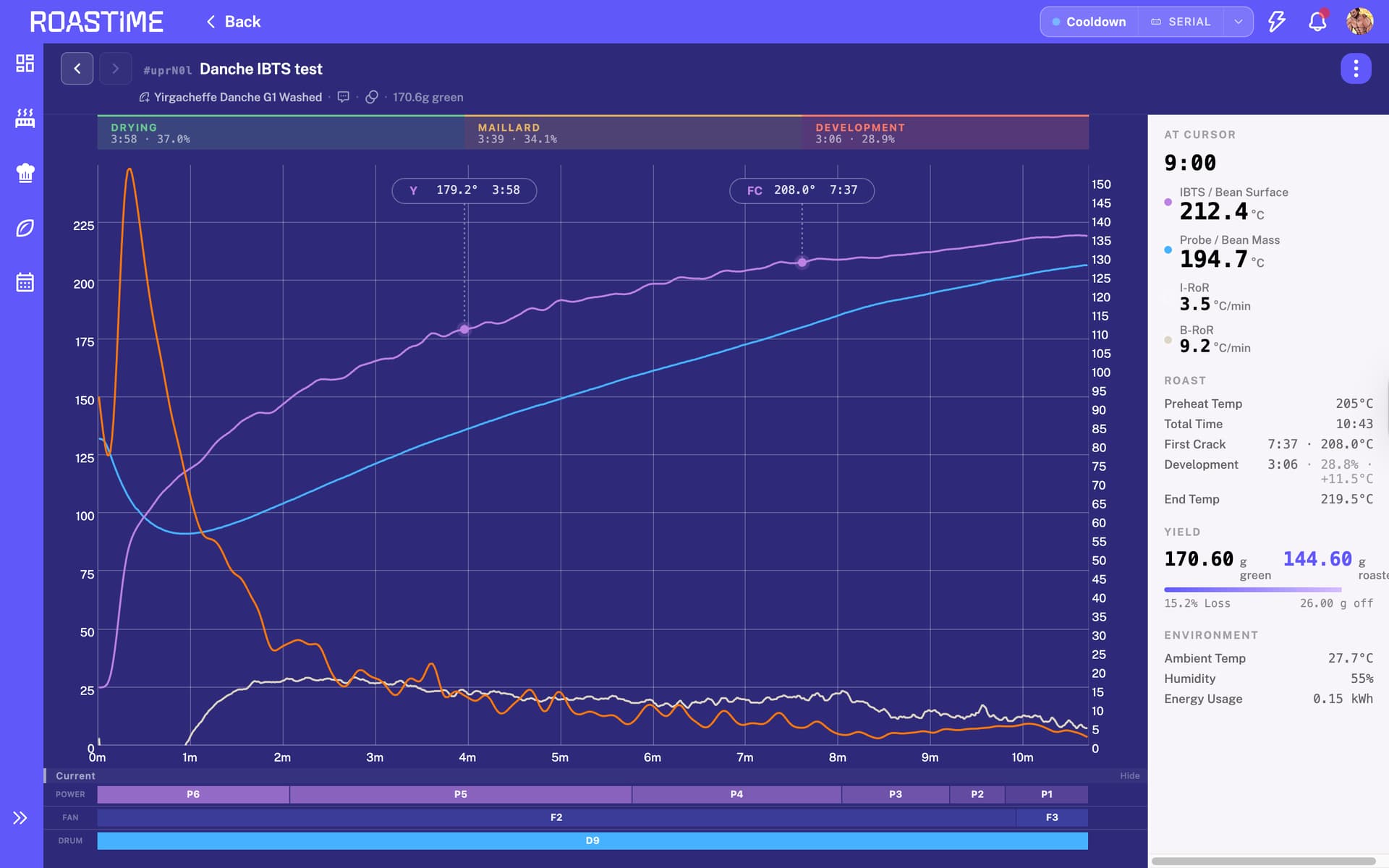
Before Update :
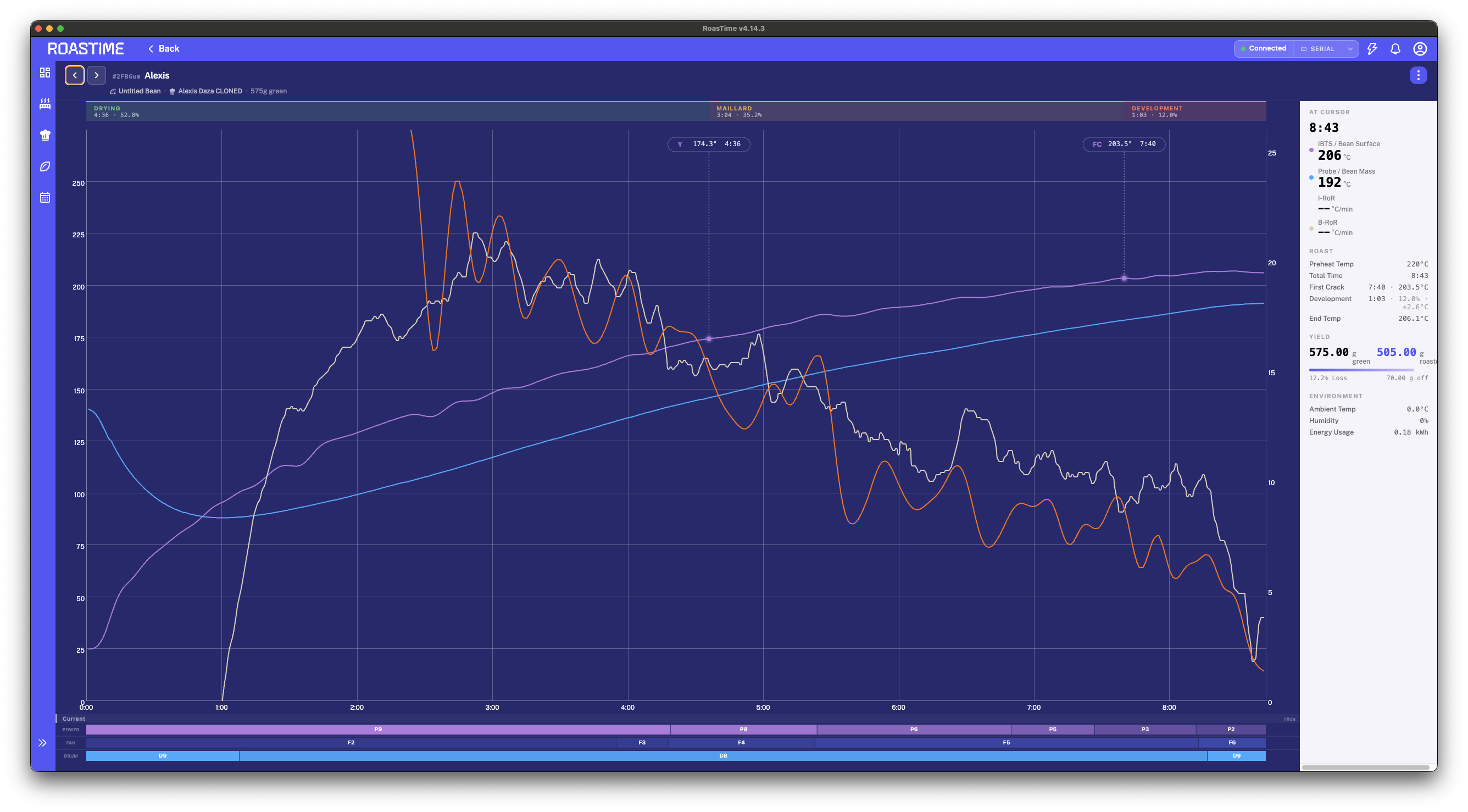
after update :
Machine: Aillio R1
FW: 645
Roastime: 4.14.3
It seems like my Aillio is having issues after updating the software and hardware. Is anyone else experiencing the same problem?
Before Update :
after update :
Hey,
I’m also trying to troubleshoot a strange IBTS issue that started recently on my Bullet R1 V2.
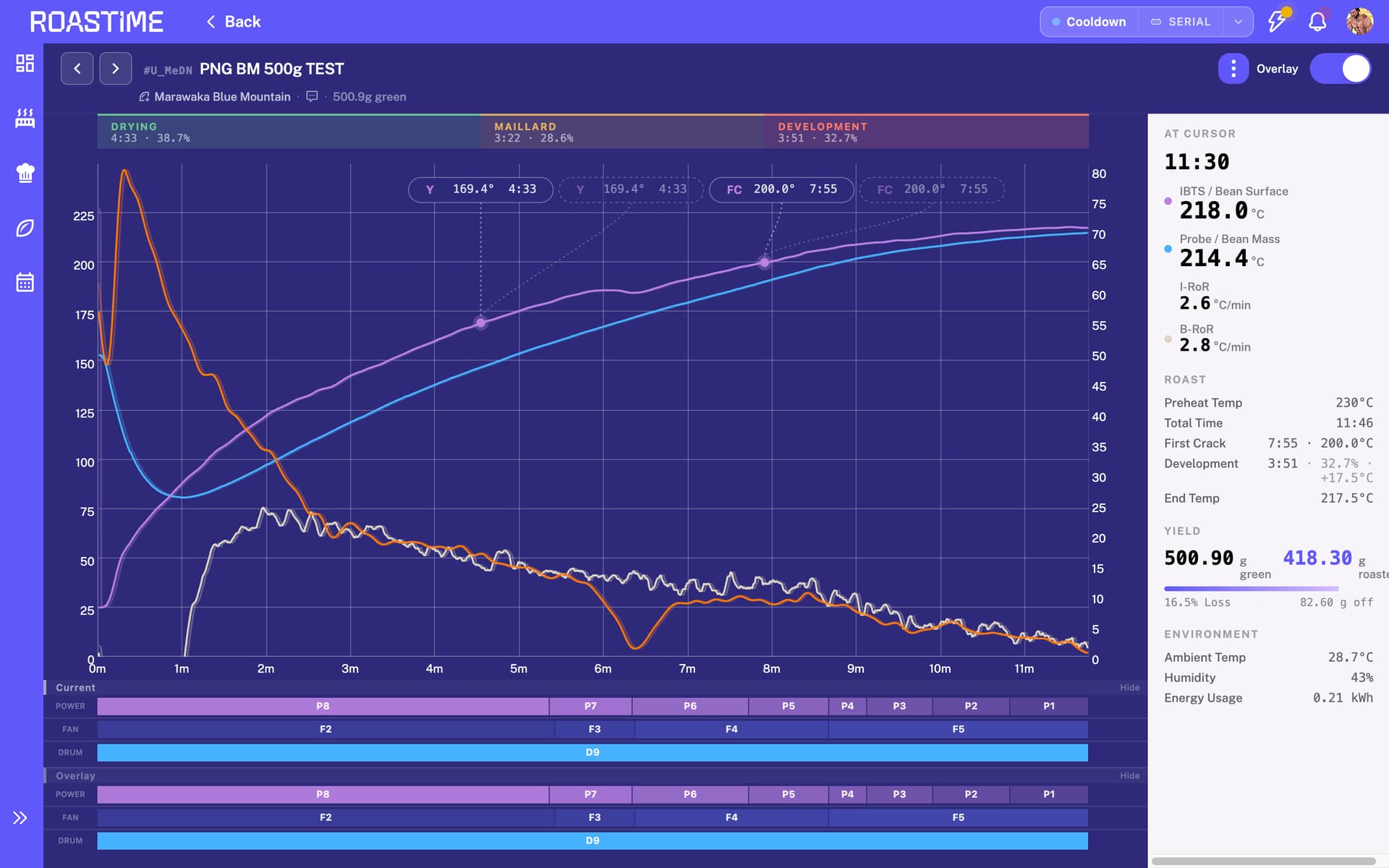
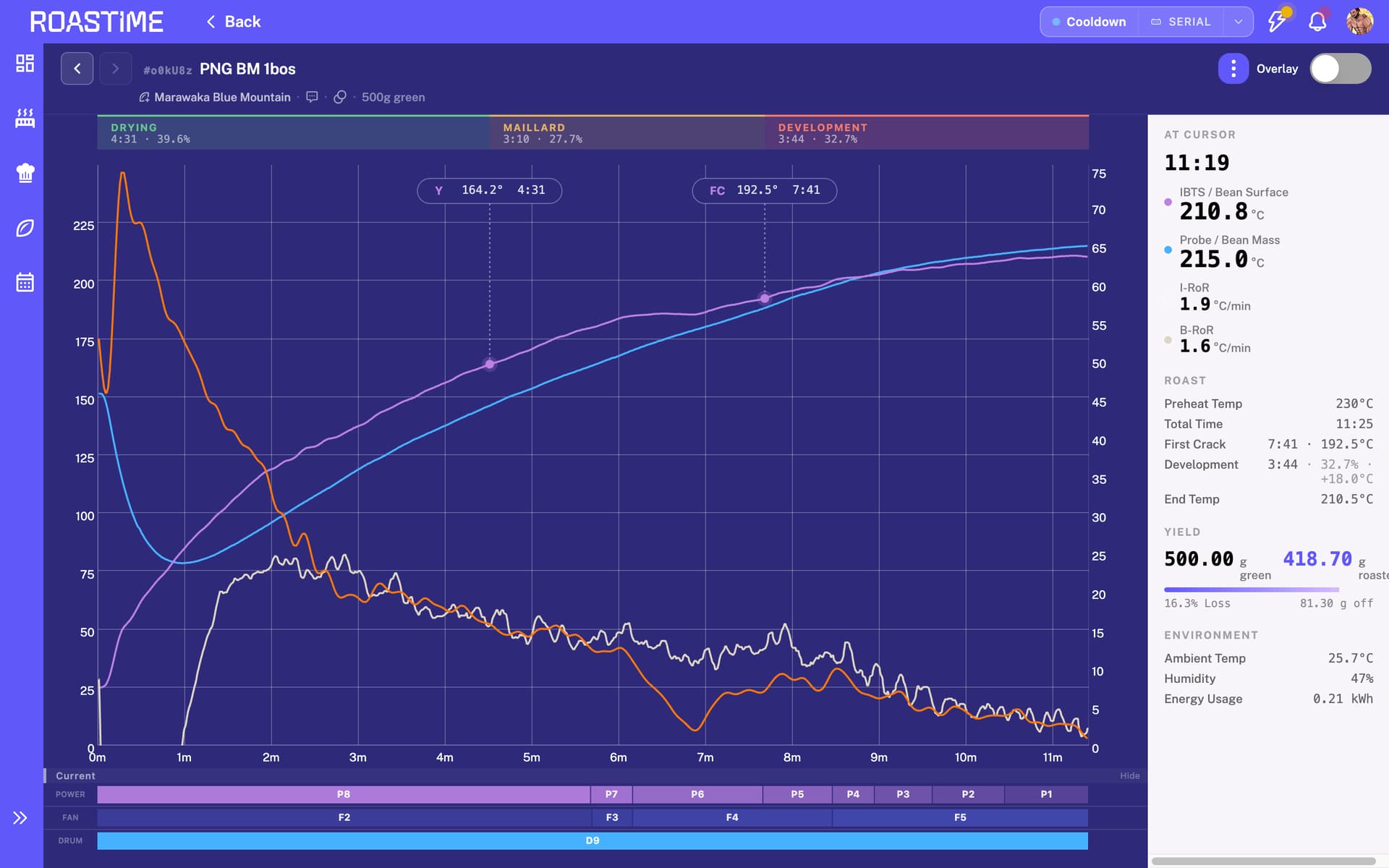
Contrary to yours IBTS spike, I’m seeing a repeatable IBTS temperature crash at around 185°C on every roast. The graph shows the IBTS dropping suddenly by roughly 20°C before recovering, while the bean probe continues behaving normally. The roast itself also appears normal.
The challenge is that I changed two variables at roughly the same time:
Because I changed both at once, I can’t confidently isolate the cause.
Some additional observations:
I’m wondering if anyone else has experienced similar IBTS behavior after the latest update, or if there’s something related to airflow/chaff filter maintenance that could cause a repeatable drop at the same temperature point.
Hi @masatolee and @jadingopi
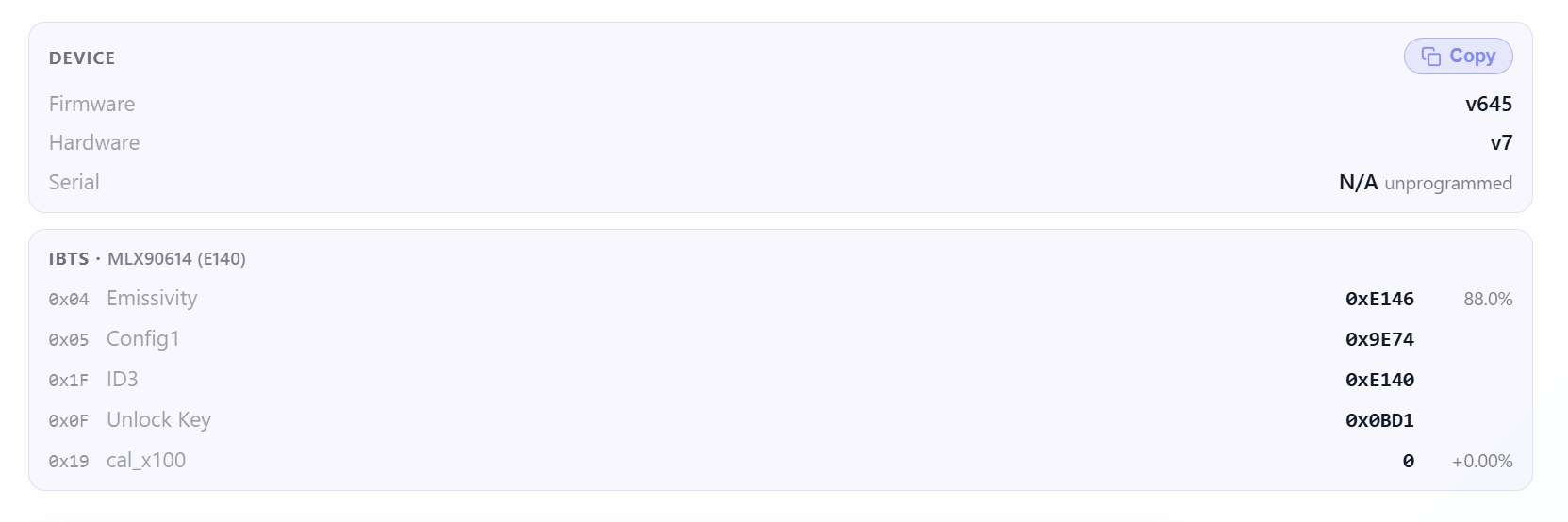
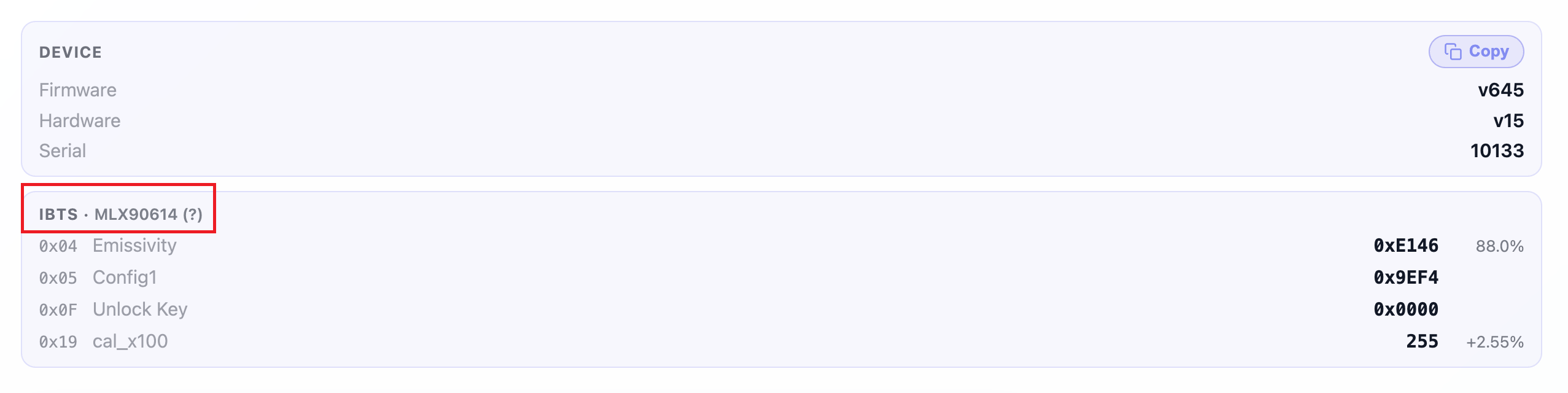
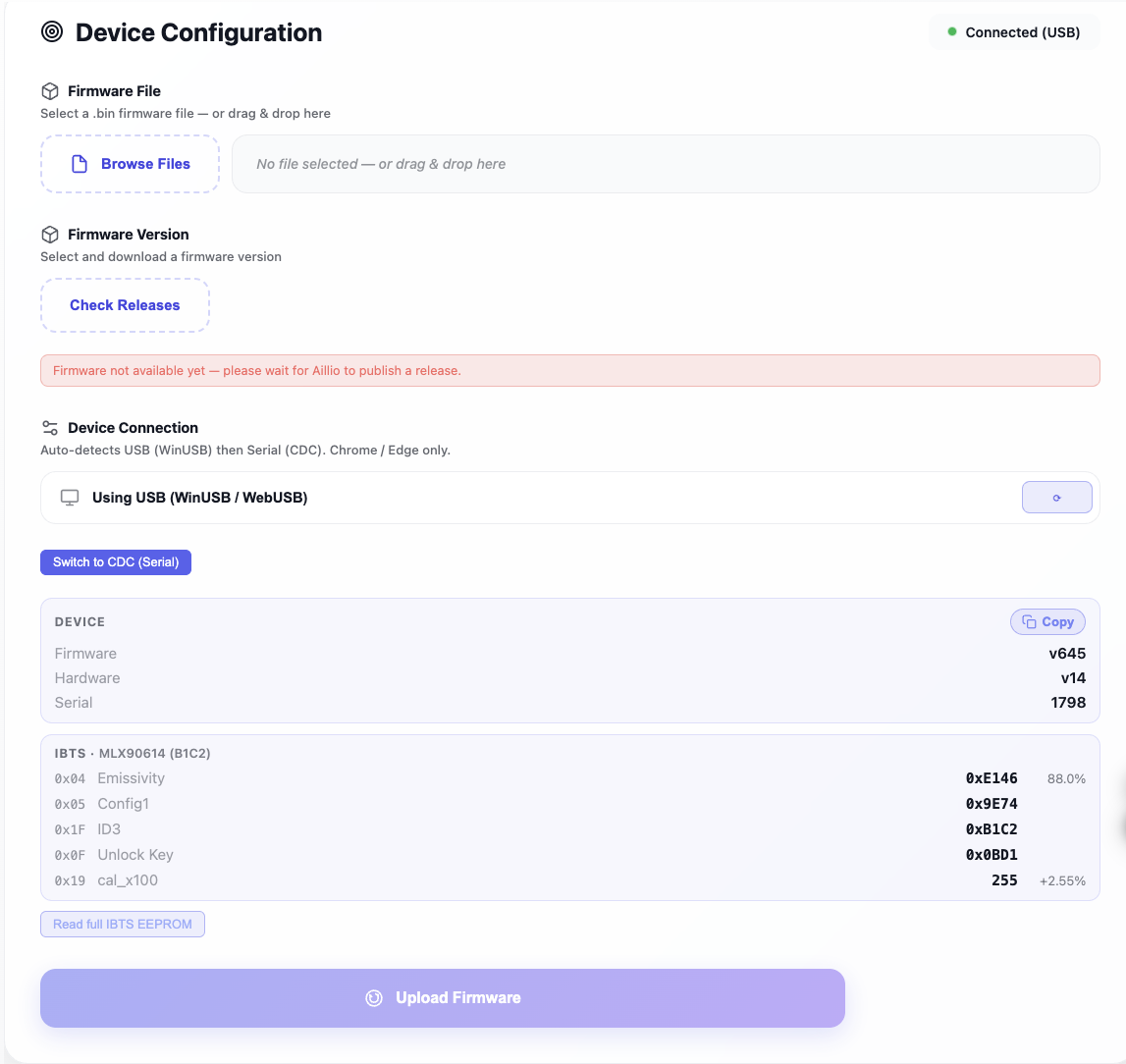
Kindly connect your Bullet R1 to the link below and share the IBTS info with us.
Note: Please close the RoasTime program before connecting, as it uses the same port.
https://roastworld.github.io/bullet-r1-web-updater/
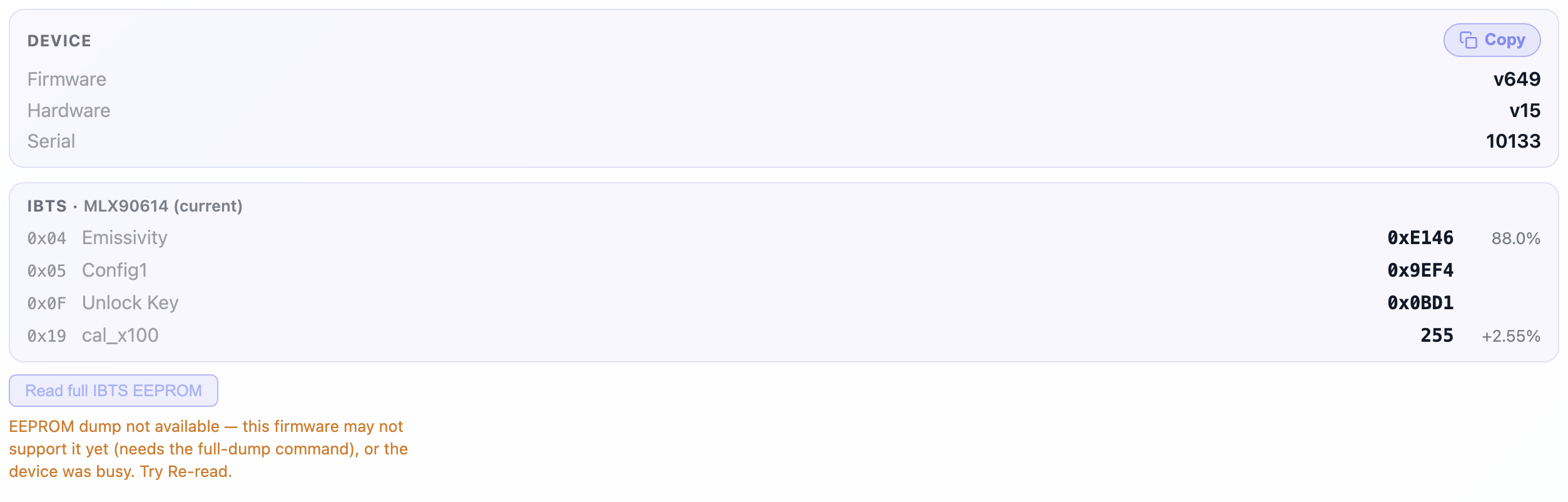
If possible, please help update the firmware to v649 and share the roast graph with us. Your results will help us investigate the issue further.
Your help is appreciated. Thank you.
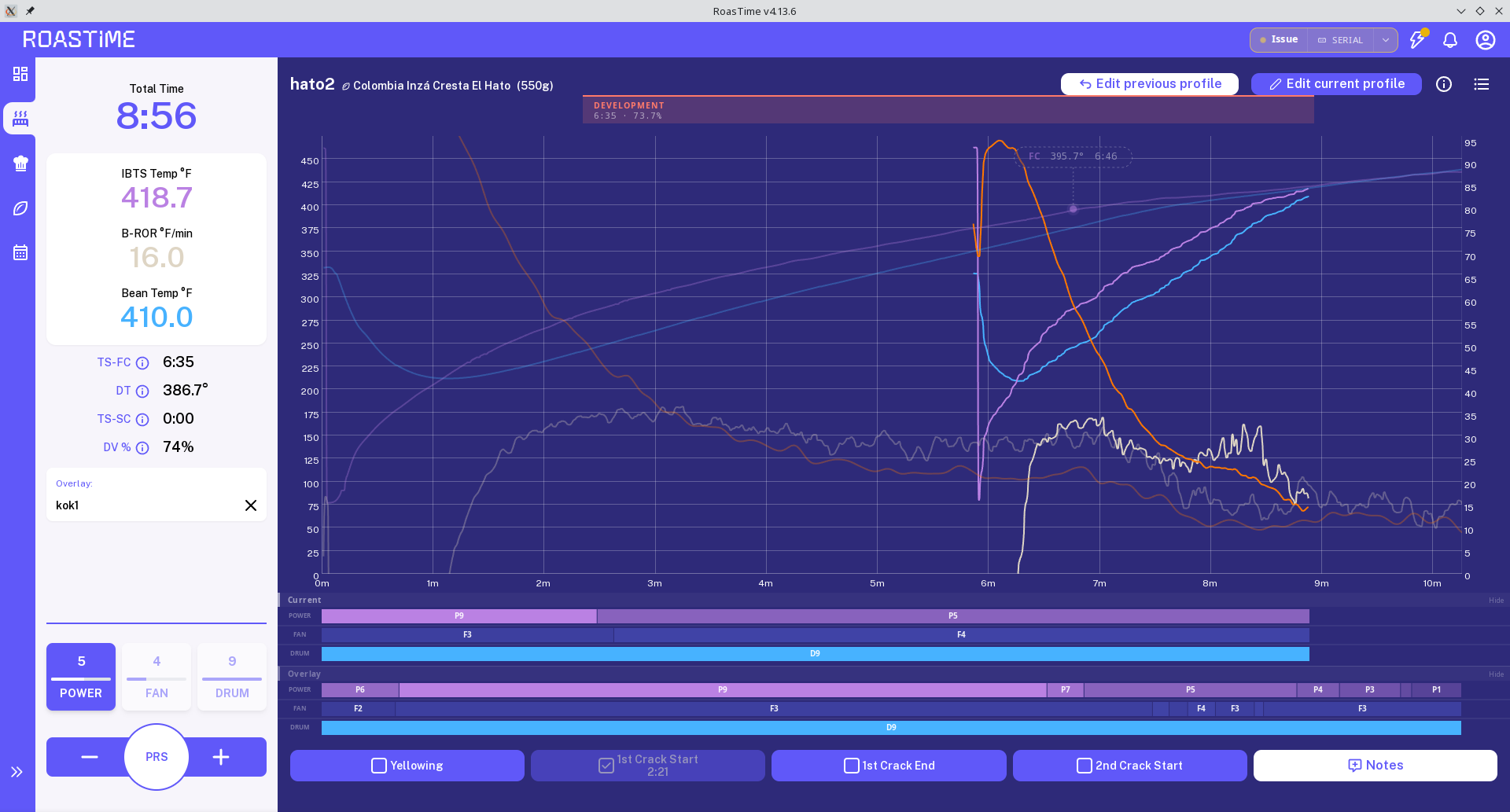
I am running FW 615 on an R1, noticed the update to roastime today (running linux version). First roast went alright but the second one seemed to get completely out of sync. I hit first crack at about 7 minute mark but the chart and data shows it at the 2 minute mark. The chart it self didn’t really line up with anything. Also, I see the new firmware update, 645, but I can find no change log for it? Seems like a big jump from 615. What was added?
Hi Jed,
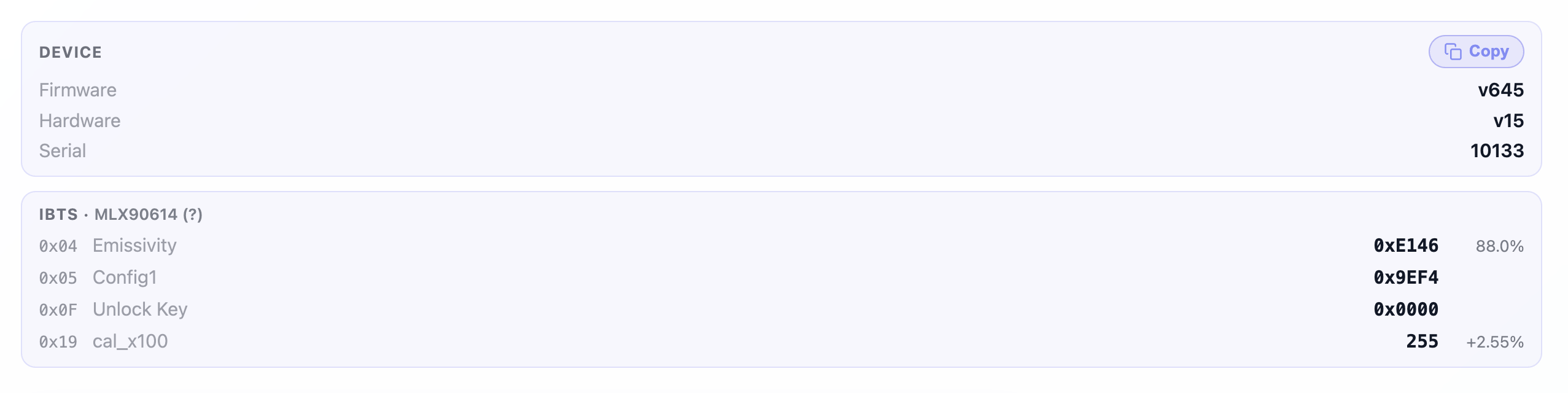
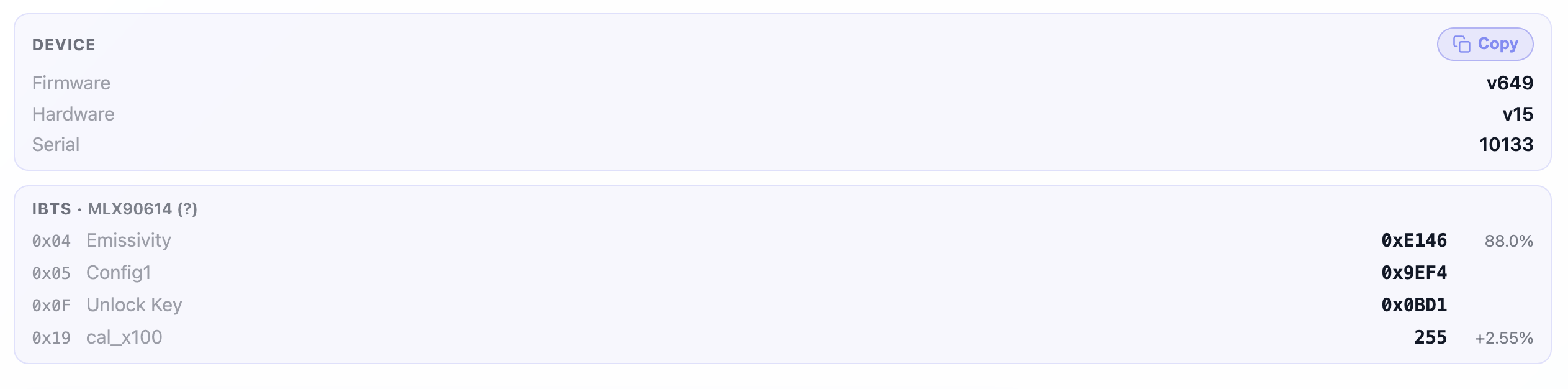
Here are the screen shots of firmware and roast graph:
Before:
After:
Before (v645):
After (v649) Same bean, batch, settings:
In both roasts, I’m seeing IBTS issues at exactly 185C.
Thanks.
Have you tried uninstalling and reinstalling Roasttime? I think the software you are running is the previous version.
I could be wrong but I’m starting to suspect that our issues with IBTS came from trying to update to the latest firmware with an outdated Roasttime version.
Hi @masatolee
Thanks for sharing the info.
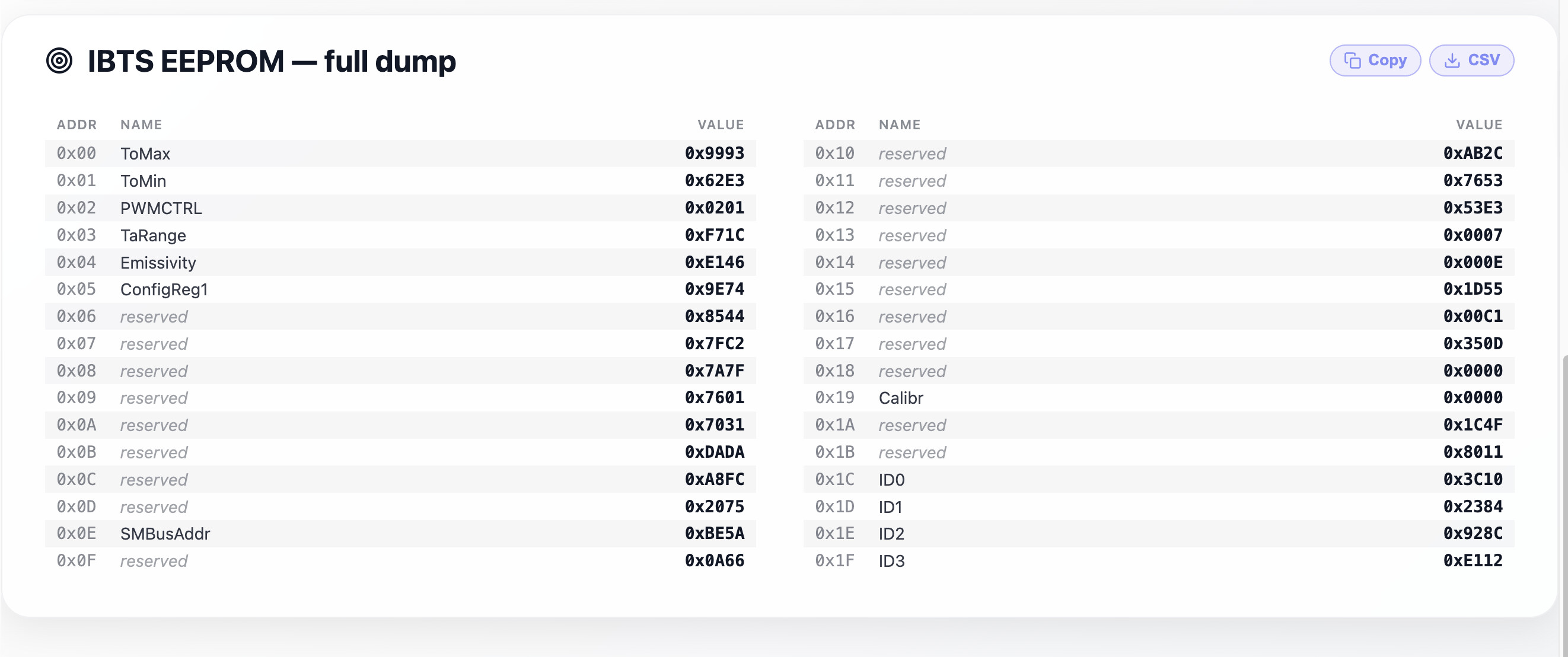
From the IBTS information you shared, it seems the firmware still cannot detect the IBTS version correctly. It appears to be a legacy IBTS version.
We are investigating the issue and will prepare a fix in the next release soon.
We appreciate your support. Thank you.
Interesting information. I appear to have the same issue except my ibts dip happens at 8 minutes. Shows the same (?) on ibts on github page. Will wait for next release.
Yes, more or less I also experienced the same thing, IBTS experienced a temperature anomaly, while the probe seemed normal.
Frankly, I don’t have the courage to roast again yet.
Okay, I’ll try later.
And I hope Aillio will fix it soon because I can’t produce, my production is being disrupted.
Instead of running a recipe, you can run a playback if environmental conditions are same to the roast you are trying to replicate. I’m doing this right now waiting for the the new release.
Is the FW a forced update or can we wait for the next one if everything is working?
I hope the aillio team will fix it soon, yes I’m doing to this right now waiting for the the new release
It’s better to just wait because it’s not just one person who is experiencing this.
Hi @masatolee
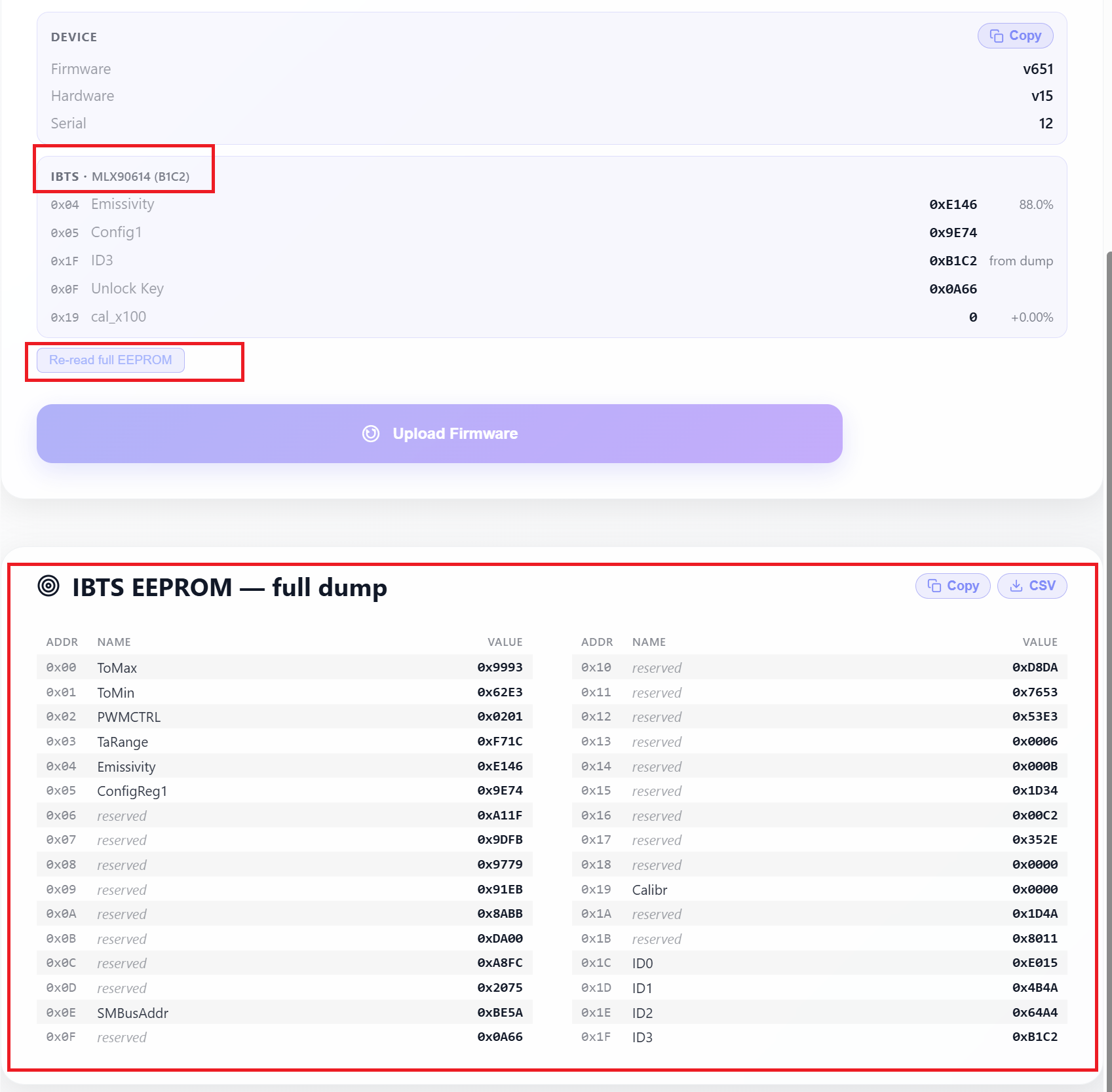
Could you please connect your Bullet R1, update it to the latest firmware version using the link below, and share the full IBTS information with us again?
Please close the RoasTime program before connecting, as it uses the same port.
https://roastworld.github.io/bullet-r1-web-updater/
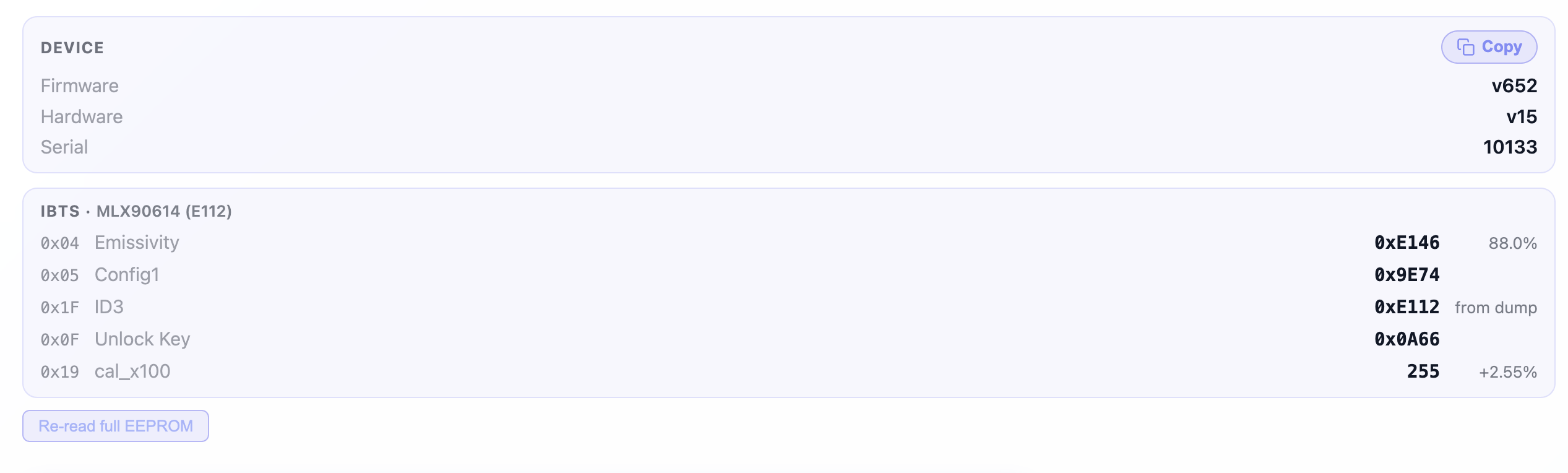
Your results will help us identify the incorrect IBTS configuration.
Thank you for your support.
Hi @masatolee
Thank you for sharing the information.
You can try running a few roast tests or performing a mock roast without beans. Set the power to P7 and the drum speed to D1, then continue until the temperature reaches 200°C.
Hopefully, this will resolve the issue and produce a stable roast graph.
Thank you for your time and support.
Hi @jadingopi
Could you please try updating again? The firmware has now been released.
Please close the RoasTime program before connecting, as it uses the same port.
https://roastworld.github.io/bullet-r1-web-updater/
Thank you!